

Hello! I'm
Your hype girl, sounding board, designer, and friend! I design branding and websites for business owners who want to pave the way in their industry.
Sydney.
brand and web design services
I design brands that release the confidence in you.
made for mothers x dfw
I lead the local DFW chapter for a CEO Mom Community, MFM
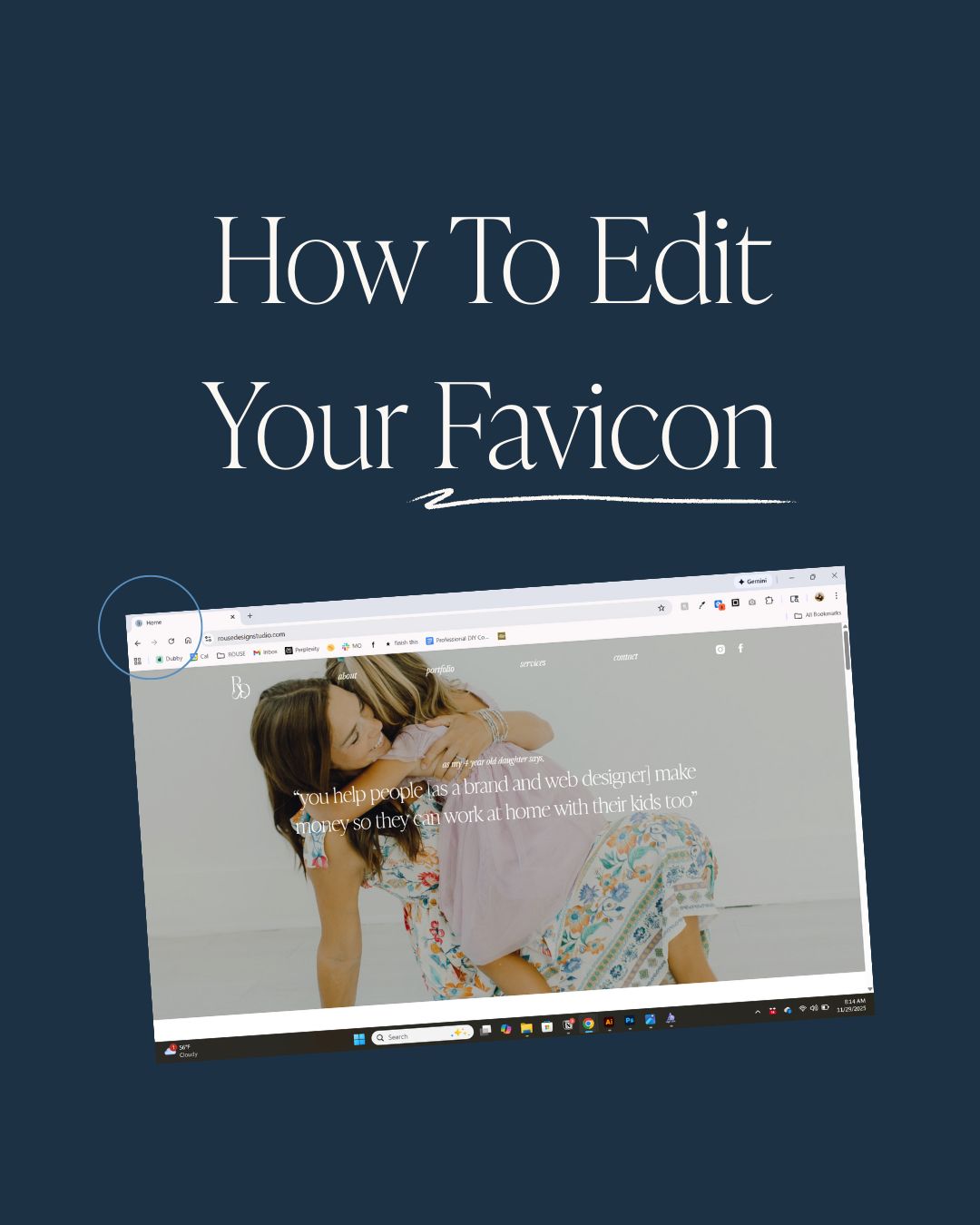
That tiny little icon in your browser tab? That’s your favicon—and if you’re using your platform’s default or an old logo, you’re quietly watering down your brand.
This guide walks you through:
- What a favicon is
- What size and file type to use
- Which version of your logo works best here
- How to change it on Showit, WordPress, Squarespace, and Wix
- Why it actually matters for your brand
What Is A Favicon (And Why It Matters)?
A favicon is the small square icon that appears:
- In the browser tab next to your page title
- In bookmark lists and browser history
- On mobile “add to home screen” shortcuts
It’s a tiny but powerful brand touchpoint: it helps people recognize your site at a glance, looks more professional than the default browser icon, and creates a cohesive experience across tabs and devices. This is usually your submark, or a primary icon within your branding.
When someone has 18 tabs open, a clear favicon makes your site easy to spot again, which supports both usability and brand recognition.
See all those general little grey worlds? I do not remember what sites those were… but I do know which one is canva, google docs, slack, showit, dropbox, flodesk, loom, drive, mariah magazines seo checklist, site and story’s new site, my site, my dubsado form, and more. If your client’s browser, or brain for that matter, ever looks like this: wouldn’t you want them to remember how to get back to you?

Best Size, Format, And Logo Style For Favicons
Recommended size and format
Traditionally, favicons display at 16×16 pixels, but most modern platforms recommend uploading something larger so it looks crisp on high-resolution (retina) screens.
Safe settings for most website platforms:
- Shape: perfect square (1:1)
- Minimum: 32×32 px
- Ideal source file: 256×256 or 512×512 px, then exported down if needed
- File type: PNG with a transparent background (or ICO if your platform requests it)
Always check your specific platform’s guidelines, but a square PNG between 32×32 and 512×512 px will usually work just fine.
Which logo should you use?
Because the favicon is so small, this is not the place for a full horizontal logo with your full business name.
Best options:
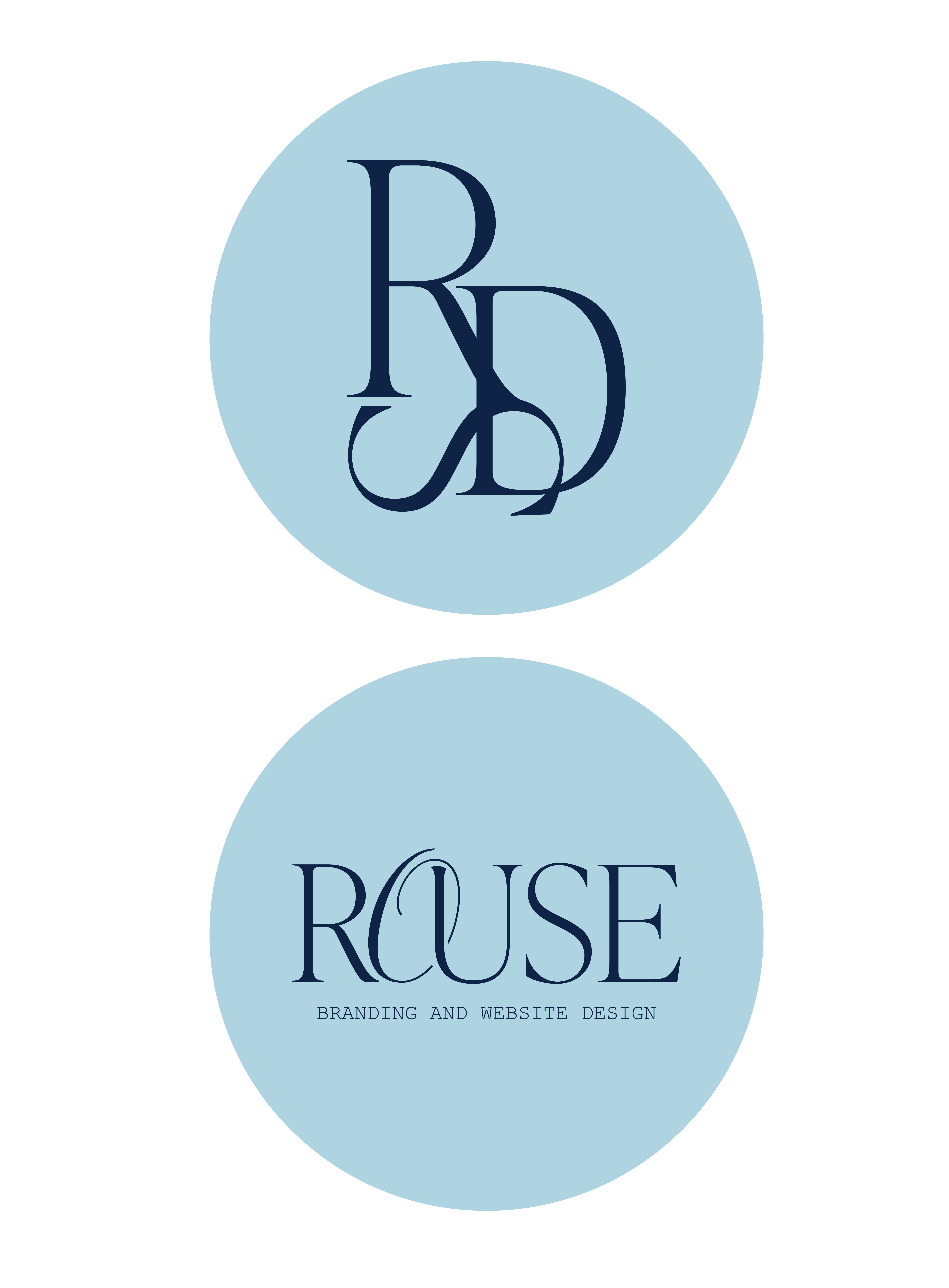
- A submark (simple mark or initials)
- A single icon from your brand
- A very simplified monogram
You want:
- High contrast (light on dark or dark on light)
- Simple shapes
- No tiny text or thin lines
If you shrink it down and can’t recognize it at a glance, simplify it until you can.
Example:
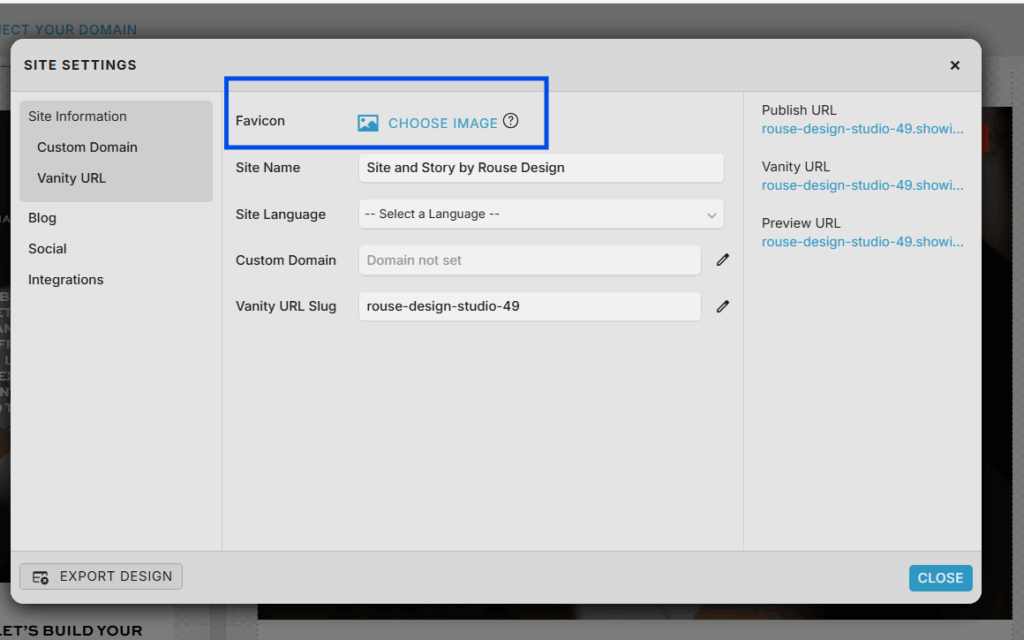
How To Change Your Favicon In Showit
Showit calls this your “Site Icon” or favicon and recommends a square PNG, often around 32×32 px.
Steps:
- Log into Showit and open your site.
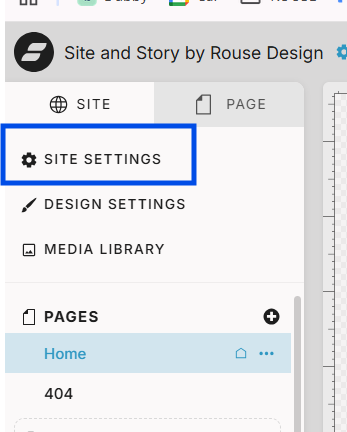
- Go to the Site tab (left sidebar).
- Click Site Settings.
- In the Site Info panel, look for the favicon / site icon upload area.
- Click Choose Image and upload your favicon PNG.
- Save and click Publish to push the update live.
Your new favicon may take a bit to show up everywhere due to browser caching—try a hard refresh or incognito window if you don’t see it right away.
For my visual learners:
How To Change Your Favicon In WordPress
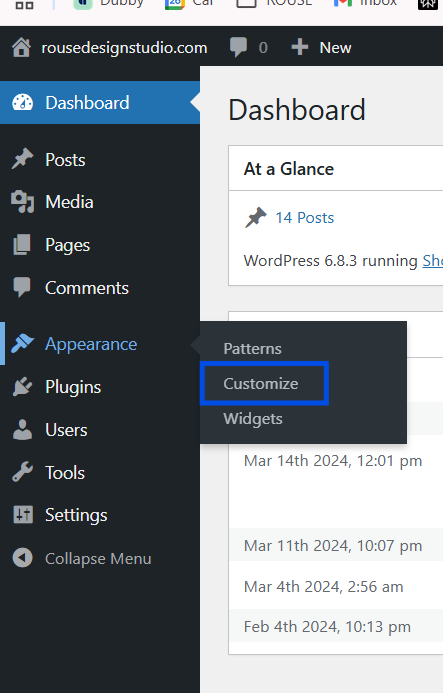
In WordPress, your favicon is usually called the Site Icon. Most modern themes let you change it directly in the Customizer or Site Editor.
Steps (block themes / modern WordPress):
- Log into your WordPress dashboard.
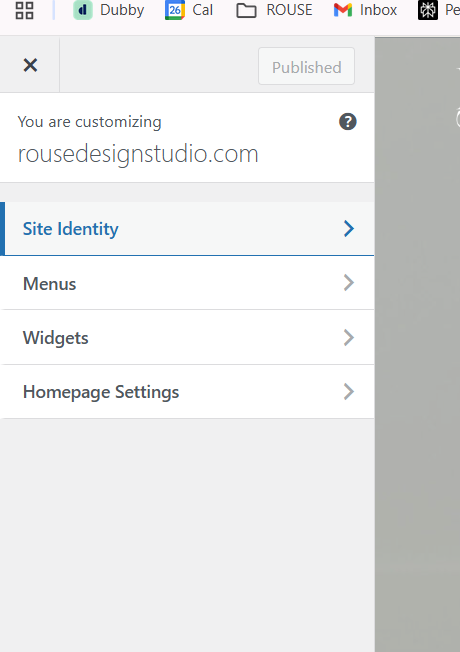
- Go to Appearance > Customize or Appearance > Editor (depending on your theme).
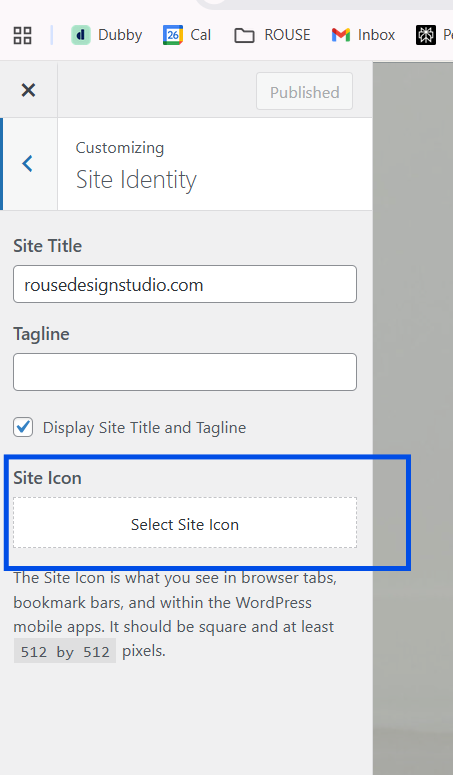
- Look for Site Identity or General Settings. [Screenshot of Site Identity panel]
- Find the Site Icon / favicon section.
- Upload your square PNG favicon (usually at least 512×512 px, which WordPress will scale).
- Crop if prompted, then Save or Publish.
If your theme is older or heavily customized, there are alternative methods (like uploading favicon.ico directly or using a plugin), but the Site Icon setting works for most standard setups.
For my visual learners:
How To Change Your Favicon In Squarespace
Squarespace calls this the Browser Icon or Favicon, depending on the version.
Steps (7.1 / current Squarespace):
- Log into your Squarespace site.
- In the left menu, click Design.
- Choose Browser Icon (Favicon) (or go to Settings > Website > Favicon on some versions). [Screenshot of Browser Icon screen]
- Click Upload and select your favicon image.
- Squarespace recommends at least 300×300 px, square, in PNG, JPG, or ICO format.
- Click Save, then refresh your site to see the update.
Again, browser caching can delay what you see—give it a little time or open the site in a private window if it doesn’t change immediately.
For my visual learners:
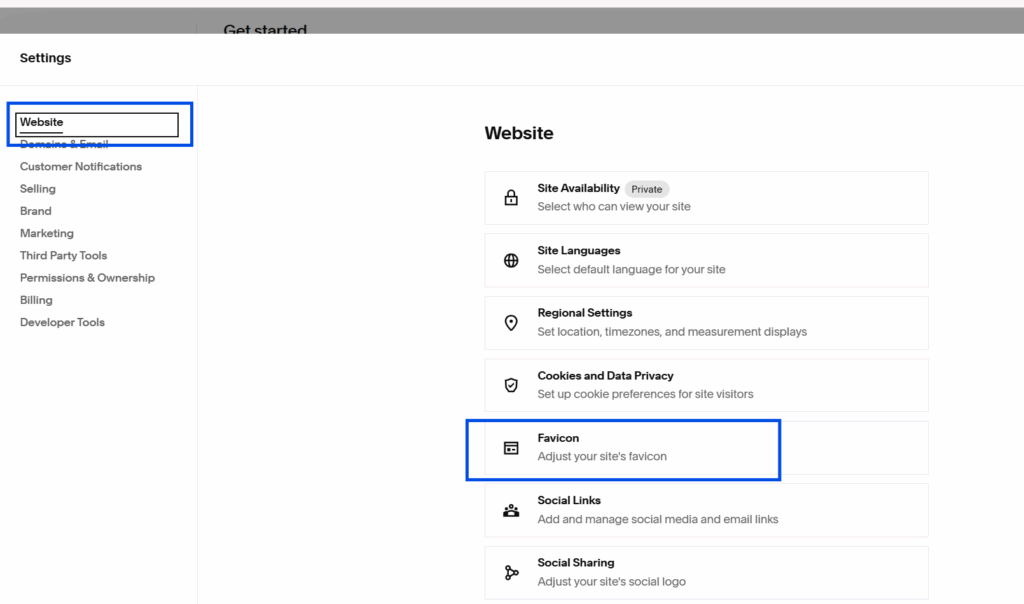
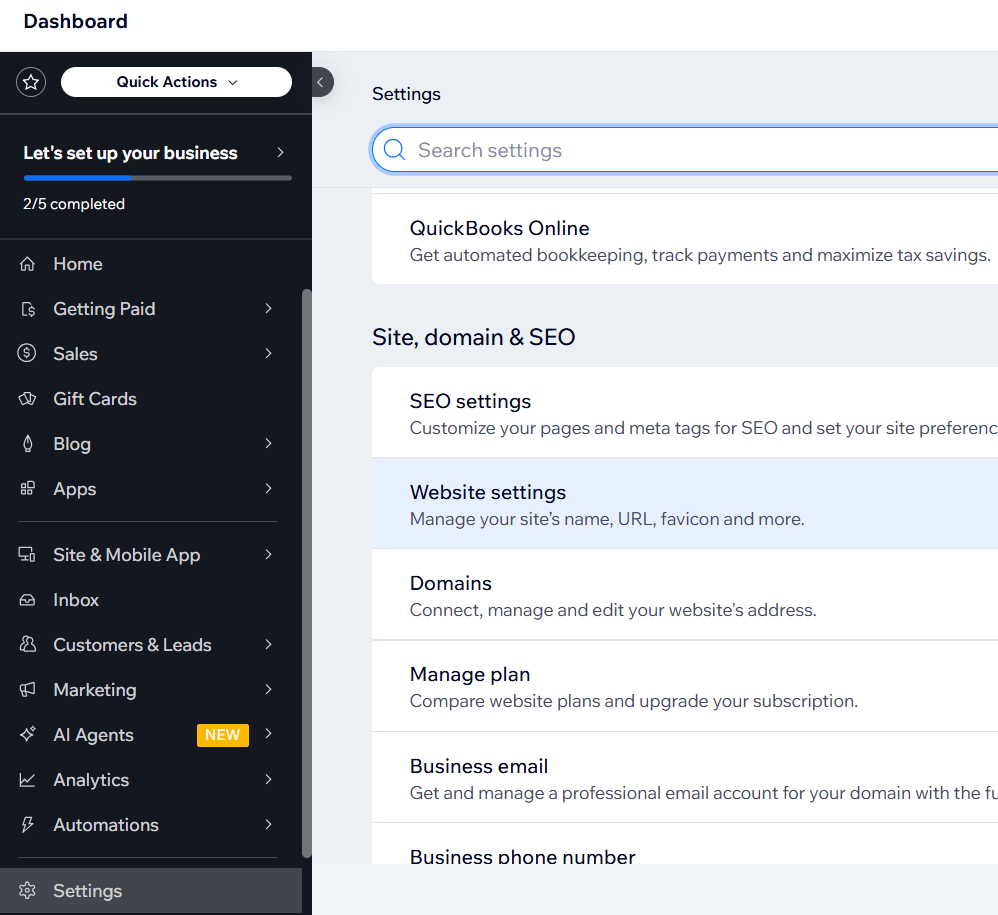
How To Change Your Favicon In Wix
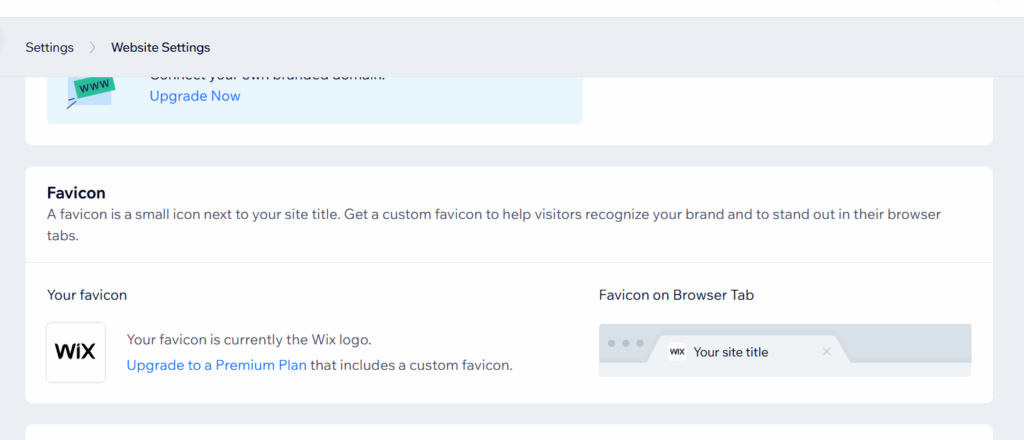
Wix also uses the term Favicon or Website Icon. Custom favicons require a premium plan.
Steps:
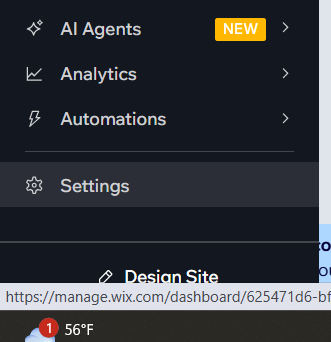
- Log into your Wix dashboard.
- In the left-hand menu, click Settings.
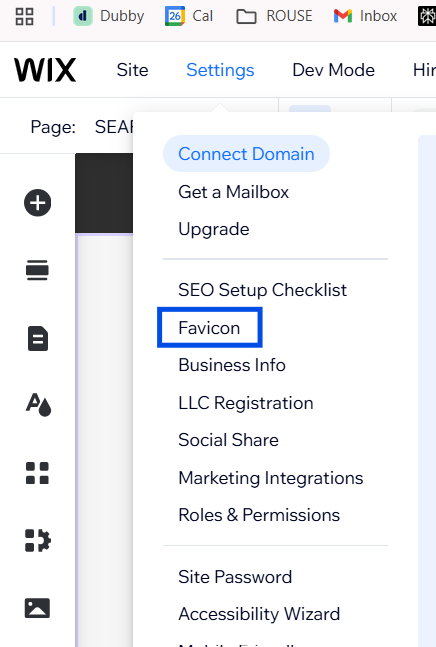
- Go to Website Settings. (*or in the website editor, click settings in the top left, then favicon in the dropdown menu. Both ways work the same!)
- Scroll to the Favicon or Website Icon (Favicon) section.
- Click Replace Icon or Upload Favicon.
- Upload your square image (Wix recommends a 1:1 ratio; common sizes include 16×16 or 32×32 px; PNG, JPG, or ICO under 1 MB).
- Save and Publish your site.
If you don’t see it right away, clear your cache or check in incognito mode; browsers often hang on to old favicons.
For our visual learners:
Troubleshooting: When Your Favicon Won’t Update
If your new favicon isn’t showing up:
- Double-check it’s a square image with a supported file type (PNG, ICO, or JPG depending on your platform).
- Clear your browser cache or view in an incognito/private window.
- Give it a few hours—some browsers and devices are slow to update favicons.
Need some help? Shoot me a DM!
Need more help? Check out my full services here, or click here to learn more about a brand sprint/strategy call with me! 90-Minutes of free time to move through a to do list or just pick my brain that moves at an unreasonably fast speed when it comes to ideating your business and you’re businesses systems and touchpoints!

Hi, I'm Sydney. The problem solving brand and website designer!


